How to Fix Tofu and Missing Glyphs on Linux
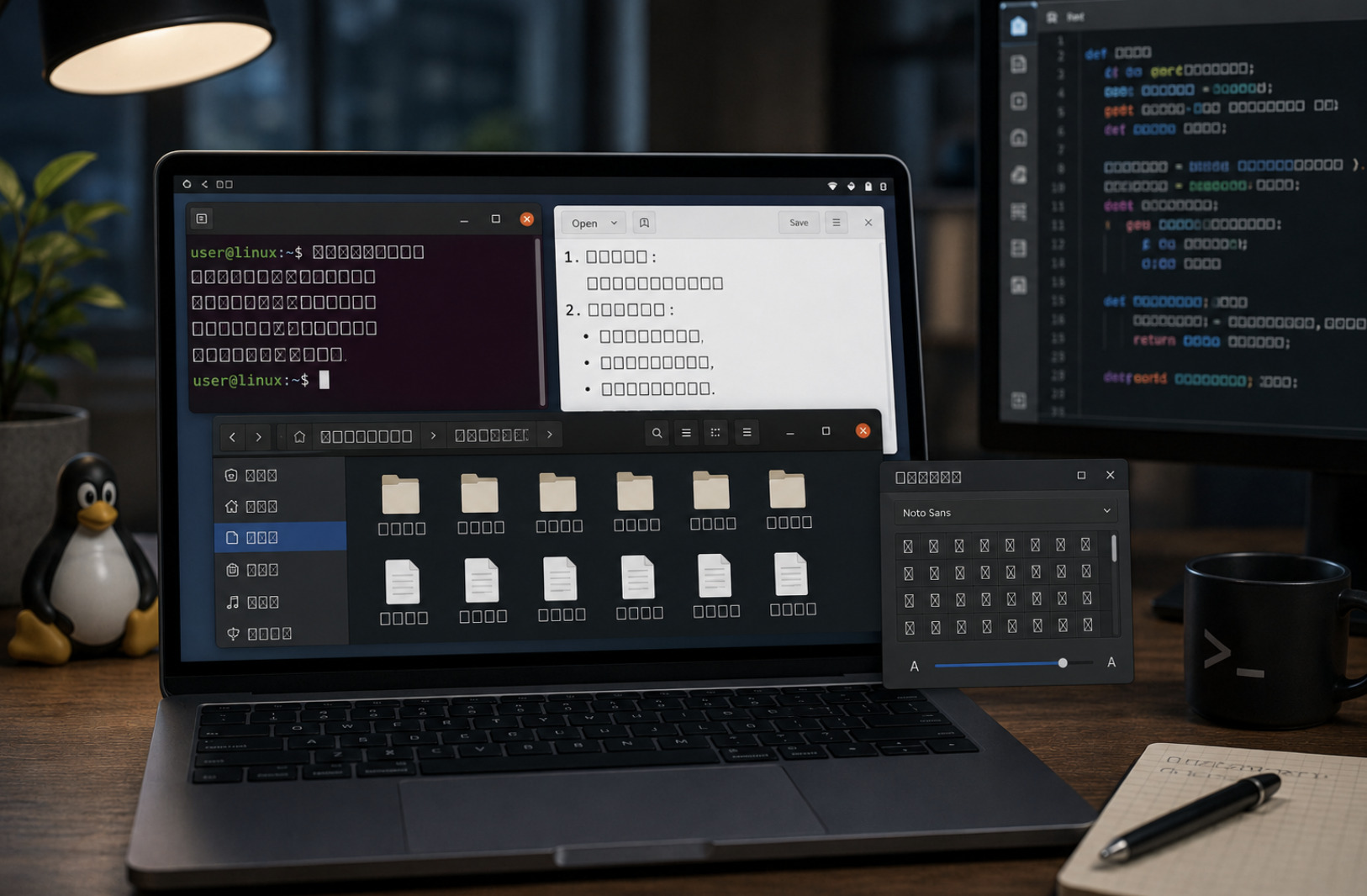
You have seen them even if you never had a name for them: little empty rectangles sitting where a character should be. Sometimes there is a tiny code number printed inside the box, sometimes it is just a hollow shape. That box has a name — the community calls it "tofu" — and it is one of the most common and most misunderstood display problems on Linux. It does not mean your text is corrupt or your system is broken. It means something much simpler, and much more fixable: your computer has been asked to draw a character it has no font for. This guide explains exactly what tofu is, why it appears, and how to make it go away.
What tofu actually is
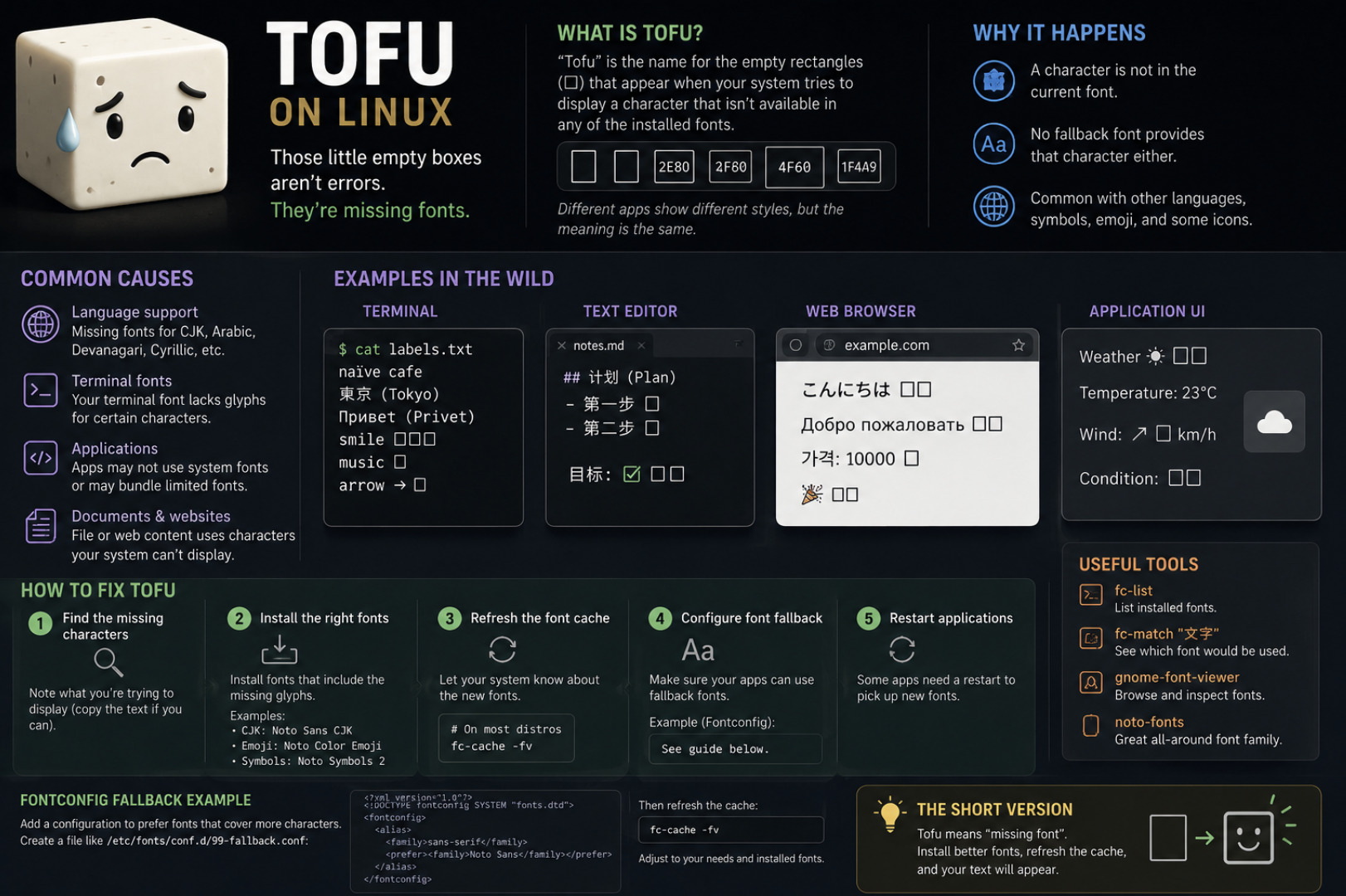
The empty box is a fallback. When a program needs to display a character, the system looks through your installed fonts for one that contains a drawing — a glyph — for that specific character. If it finds one, you see the character. If no installed font contains a glyph for it, the system has nothing to draw, so it renders a placeholder box instead. That placeholder is the tofu. It is the font system's honest way of saying "there is a character here, but I do not have the shape for it."
This is the crucial mental shift: tofu is a missing font problem, not a corrupt text problem. The underlying text is almost always perfectly fine — the right characters are stored correctly. What is missing is a font on your system capable of drawing them. That distinction matters because it points straight at the solution: if the box appears because no font covers the character, the fix is to install a font that does. Once you understand that, tofu stops being mysterious and becomes a simple gap to fill.
Why it happens so often on Linux
Tofu shows up more on Linux than on some other systems for a reason worth understanding. No single font contains every character in existence — there are far too many, spanning every writing system on earth, plus symbols, emoji and specialist notation. Every font covers only a subset, and a fresh or minimal Linux installation often ships with a fairly limited set of fonts focused on the languages the system was set up for. The moment you encounter text outside that set, you meet tofu.
The characters that most commonly trigger it are the ones outside your default fonts' coverage: text in scripts you did not install support for, such as many Asian, Middle Eastern or Indic writing systems; less common symbols and mathematical or technical notation; and emoji, which require their own dedicated font. This is why a page that mixes languages, or a document full of special symbols, so often turns into a field of empty boxes on a lean Linux setup. The system simply was never given the fonts to cover that range. The good news is that filling those gaps is straightforward.
The fix: installing coverage
The direct solution to tofu is to install fonts that cover the missing characters, and Linux makes this easy. For broad, general coverage across a huge range of writing systems, the single most effective step is to install a comprehensive font family designed specifically to cover as many scripts as possible — a family built for exactly this purpose. Installing it fills in a vast number of the gaps that produce tofu in one action, because it was created to give nearly every language a glyph. We looked at the project behind this ambition in Noto and the quest to give every language a typeface.
For more targeted problems, the approach is to install the specific coverage you need. If your tofu appears only in one language's text, install a font that supports that script. If the empty boxes are emoji, install a dedicated emoji font, since ordinary text fonts do not include them. After installing new fonts, it is good practice to refresh the system's font cache so applications become aware of what is now available. Most package managers offer these coverage fonts under clear names, and installing them is no different from installing any other software — a single command that permanently expands what your system can draw.
When the font exists but tofu remains
Occasionally you install the right font and the boxes stubbornly persist, which points to a different cause: the system is not selecting the font you added, even though it is present. This is a font configuration issue rather than a coverage one. On Linux, the mechanism that decides which font is used for which text is fontconfig, and sometimes it needs a nudge — a cache refresh, or a preference that tells it to fall back to your newly installed font for characters the primary font lacks.
A font manager is genuinely helpful here, because it lets you see plainly what fonts are installed and confirm that the coverage you expect is actually present on the system. Being able to inspect your library visually turns guesswork into diagnosis: you can verify the font is there, check that it covers the character in question, and rule out the "not installed at all" case before digging into configuration. If you find yourself dealing with tofu often, keeping your font collection organised makes these checks far quicker — a habit we covered in taming a messy font library with tags and categories.
No more empty boxes
Tofu looks alarming the first time you meet it, but it is one of the friendliest problems Linux will ever hand you, because it tells you exactly what is wrong: a character with no font to draw it. The path from problem to solution is short. Install broad coverage for general peace of mind, add targeted fonts for specific scripts or emoji as you need them, refresh the cache, and confirm with a font manager that the coverage is really there. Do that, and the empty boxes fill in with the characters that belong in them. What once looked like corruption turns out to be nothing more than a gap waiting for the right font — and on Linux, filling that gap is only ever a command away.
Frequently asked questions
What are the empty boxes in my text called? They are commonly called "tofu." They are placeholder glyphs the font system draws when it is asked to display a character for which no installed font contains a shape. Sometimes a small code number appears inside the box.
Why do I see missing character boxes on Linux? Because no single font covers every character, and a minimal Linux install often ships with limited font coverage. When you encounter text in an uninstalled script, uncommon symbols, or emoji, the system has no glyph to draw and shows tofu instead. Installing fonts that cover those characters fixes it.
How do I fix tofu on Linux? Install fonts that cover the missing characters — a comprehensive multi-script family for broad coverage, a script-specific font for one language, or a dedicated emoji font for emoji — then refresh the font cache. If boxes remain despite the font being installed, it is usually a fontconfig configuration issue rather than missing coverage.